

Changelog
Feb 28, 2025
Introducing Halo Q4 2025
This quarter, we’ve continued to build on Halo’s foundation of flexibility, automation, and intelligence, introducing new capabilities that make it easier than ever to manage and optimise your ITSM and ESM operations. Our latest enhancements focus on increasing agent productivity, ensuring data security, and providing clearer insights for better decision-making.
Let’s take a closer look at what’s new this quarter
Self-Service Portal Improvements
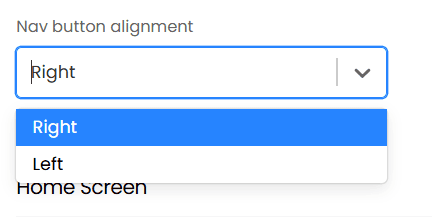
We have continued evolving our Self–Service Portal in this release with new configuration and enhanced end user experience. Administrators can now align navigation buttons to the left or right, and the search bar has been redesigned for a more intuitive layout.
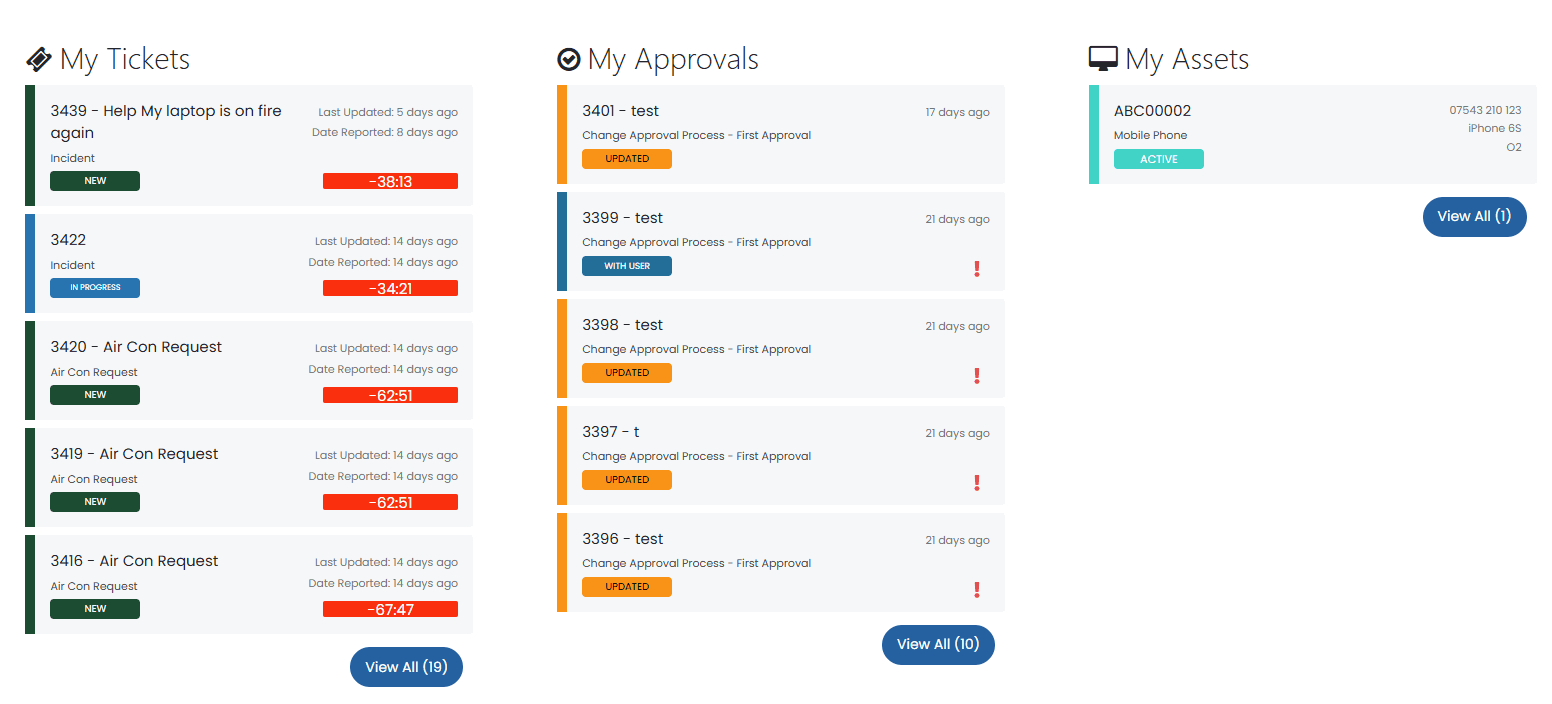
Alongside this, three new widgets: My Tickets, My Approvals, and My Assets have also been introduced to provide the 5 most recently updated tickets assigned, the 5 most recent pending approvals, and the top 5 assets assigned to the user, respectively.
Furthermore, we have improved how asset and custom field information is displayed and managed. Administrators can now configure default column views for asset lists at the ticket type level, as well as apply custom column profiles that include both system and custom fields as the default for said ticket type(s).
When logging new tickets with the “Assets” field, the field will now be presented with the customised column profile to display additional asset details, allowing users to log tickets against the right assets.
Forecasting Enhancements & Statistics Tables for Point-in-Time Data
n this release, we introduced powerful new features to support forecasting capability across the platform. Administrators can now generate standalone and recurring (hourly, daily, weekly, or monthly) forecasts or configure them within individual Reports under the new Forecasting tab.
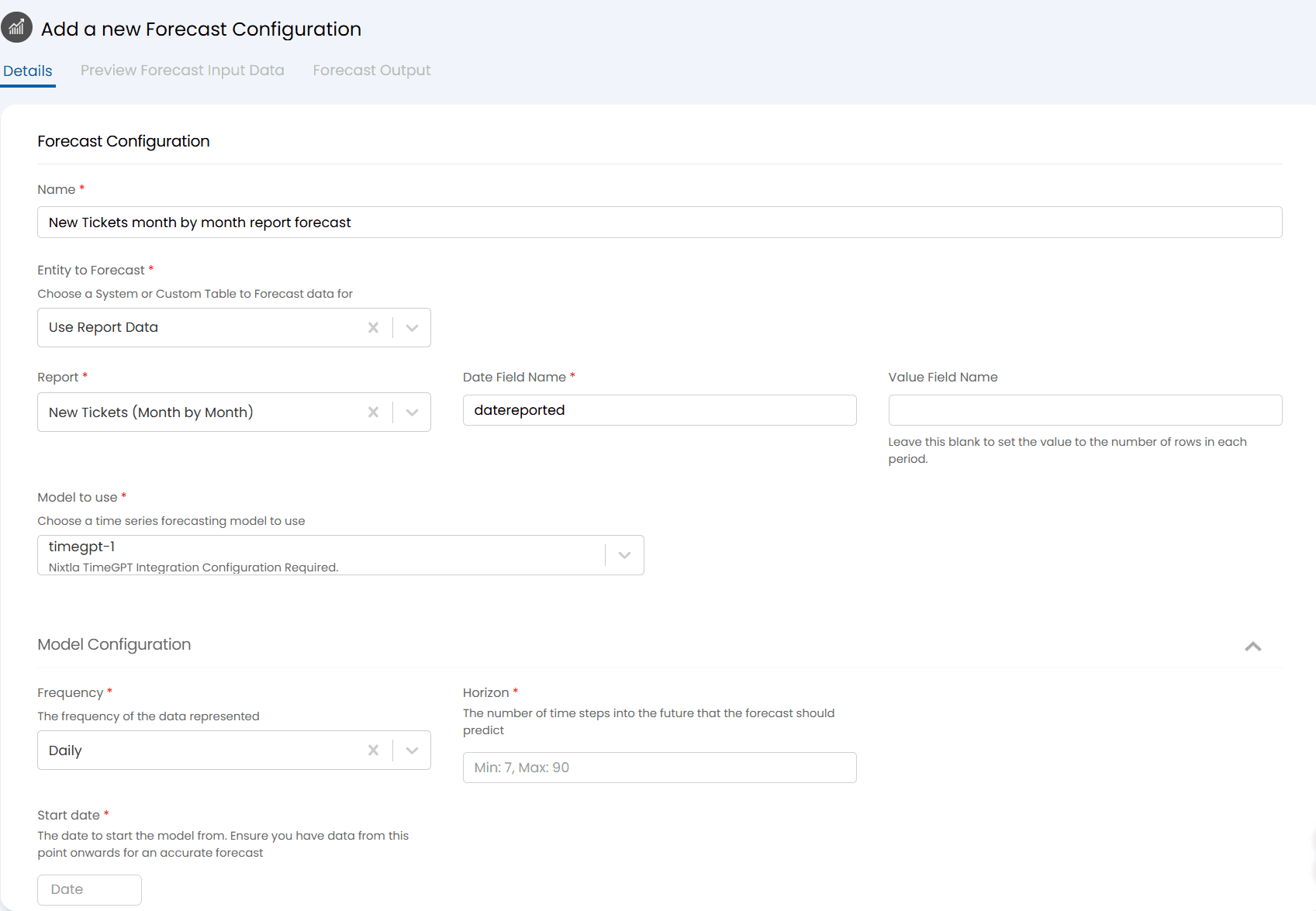
When creating a standalone forecast, selecting ‘Use Report Data’ as the entity, we can define a Date/Time field and choose whether to forecast based on record counts or summed values across hourly, daily, weekly, or monthly periods. Forecasts can be run manually or scheduled to generate automatically, with results stored in the ‘Saved Forecasts’ section of Reports.
When configuring a forecast against an individual report, you can pick the date, time and value fields from a dropdown with the available fields on the Report and configure the bar or line chart within the report to show predicted values-based on the forecast input and output data. The forecast will automatically run once for each new period based on the Forecast frequency but can also be manually re-ran to ensure the latest forecast results are presented against the report.
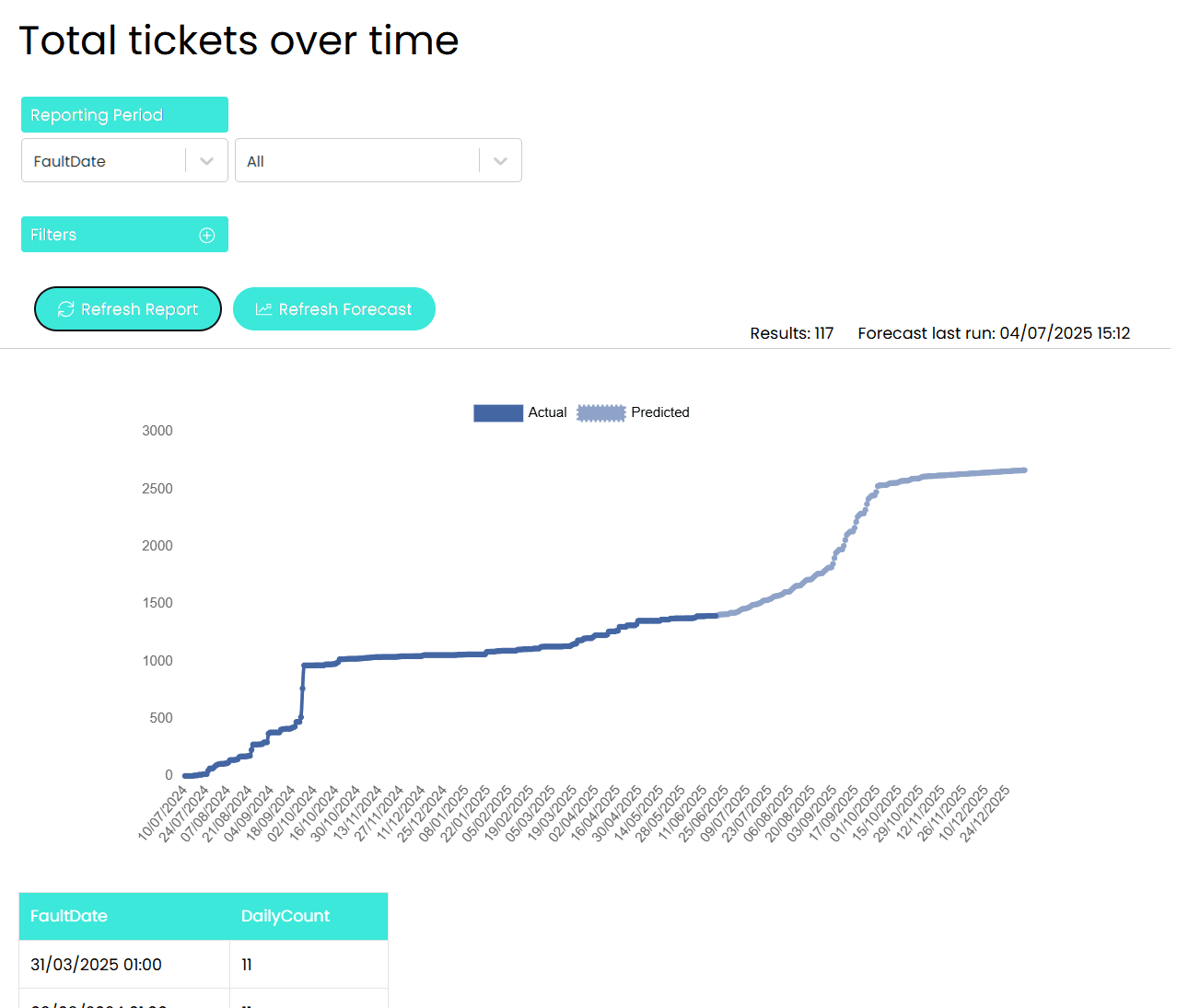
Forecast results can also appear as an additional table beneath report data, and are also available across dashboards, the Self–Service Portal, and printed reports via a dollar variable.
When it comes to ensuring accurate forecast data is presented, we have also introduced a new chart setting called “Carry forward last value”. This allows us to plot a running total on the chart over time with the forecast predicting values per period and the chart presenting a visual representation of the running total.
Building on this, Halo now supports multiple native forecasting models, including Moving Average, Linear Regression, and Simple Exponential Smoothing, without the need for external integrations. Users can configure parameters such as the window size for Moving Average or the smoothing factor for Simple Exponential Smoothing, giving full control over how forecasts are generated and tailored to their dataset.
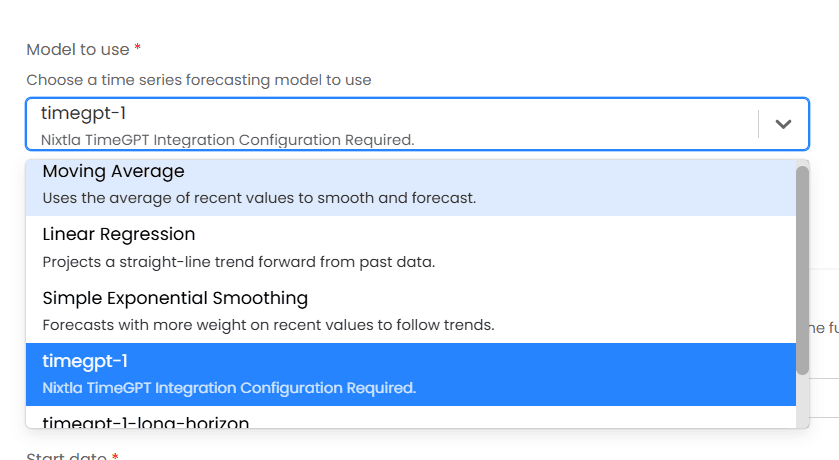
We’ve also introduced statistics tables in this release to capture snapshots of key data at defined intervals (Daily, Weekly, or Monthly) recurringly, creating point in time datasets to track specific metrics for trend analysis and forecasting preparation.
Within the custom table, we will be able to define the schema of the table, the SQL query, the frequency, the point of capture (previous or current), and the schedule to update such data. This can then be leveraged to build up a dataset of the counts against the defined metrics, which can then be viewed on the Data tab against the said table.
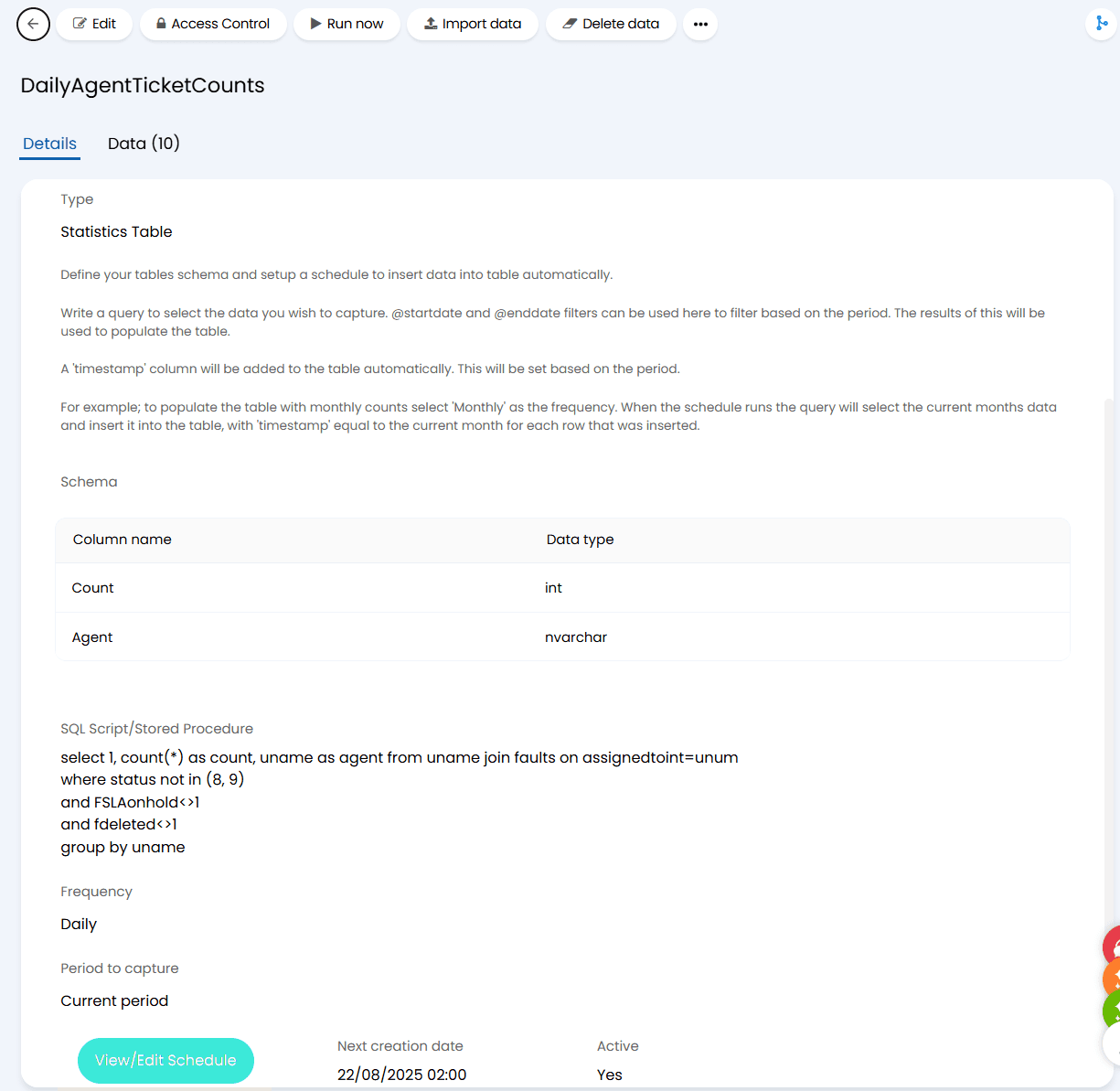
Subsequently, we can then report and present such data easily in a chart in the reporting suite with the data already formatted in a way that facilitates plotting the data over time on a chart easily:
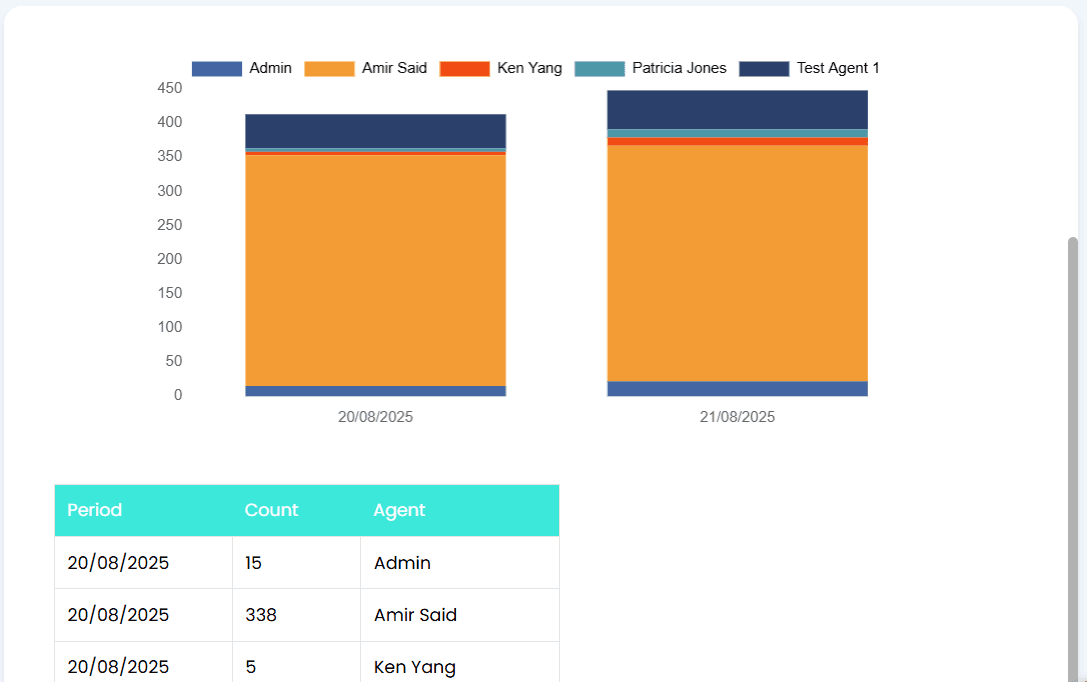
Together, these updates give customers new ways to turn operational data into actionable business intelligence.
Maintenance Windows for Change Enablement
To help teams better coordinate planned maintenance and avoid unexpected disruptions, Maintenance Windows are now available within Change Enablement in Halo. Administrators can define windows globally or per asset, site, or asset type, ensuring changes are logged and scheduled only when permitted.
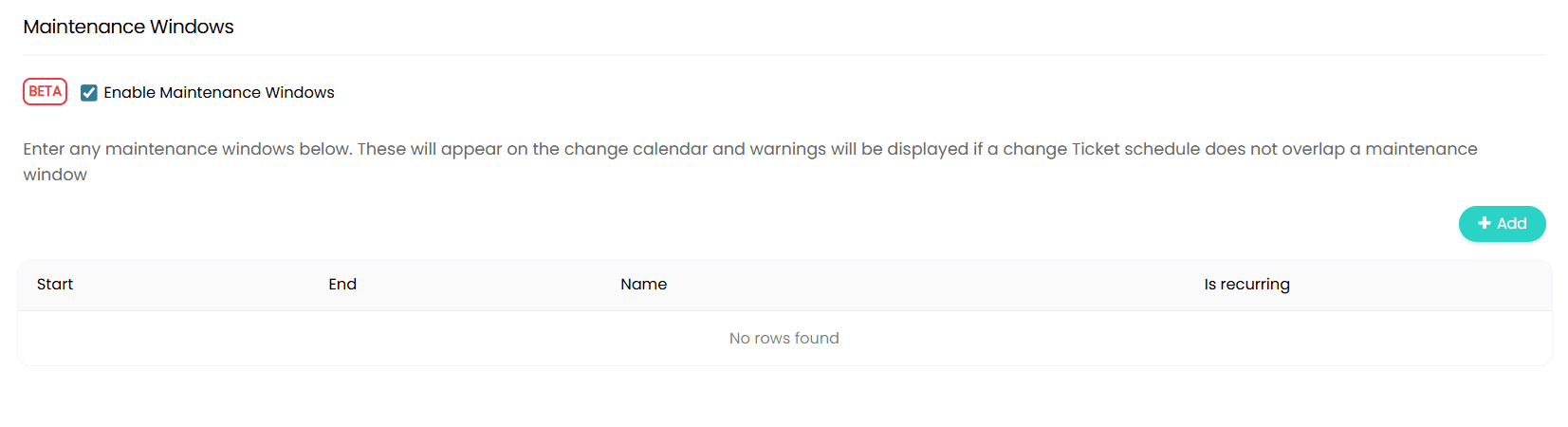
Halo automatically validates whether the primary configuration item (and its related configuration items within your CMDB) of a change request falls within an active window, either preventing them from logging the change request of prompting agents to decide if they should request the change at all.
Combined with the ability to link environments and inherit maintenance settings from parent business applications, this feature gives teams a stronger, more compliant framework for managing change activity.

Additionally, if all assets attached to the change record, the new ticket type level field “Is Maintenance window” will automatically be set to true or false which can then be used as a criterion for approvals, ticket rules, etc.
AI-Powered Knowledge & Asset Suggestions
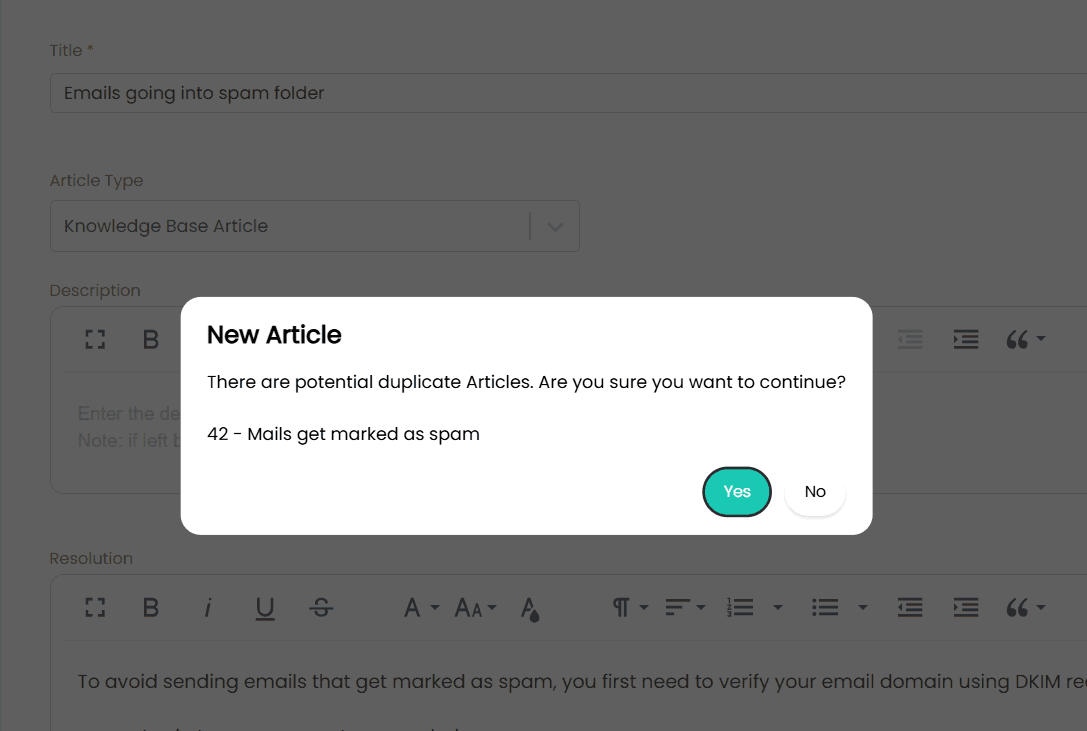
Halo’s AI capabilities have also expanded in this release in multiple areas. An AI generated summary against existing Knowledge Base Articles can now be used to helps detect and prevent duplicate submissions by alerting authors when a similar article already exists based on a minimum similarity score.
In addition, Halo’s AI capability can now suggest which asset to connect to a ticket based on all matched tickets according to a self–defined minimum vector score set under the “Conditions” section of the AI suggestion configuration, tying your AI powered service delivery with Halo’s service automation framework for better efficiency.

Connect Halo to OpenAI with the New MCP Server & “Get Report Data” Function
The introduction of MCP server within Halo’s AI module enables AI platforms such as OpenAI to securely access and execute Halo API functions including ticket creation, updates, and knowledge searches in real time.
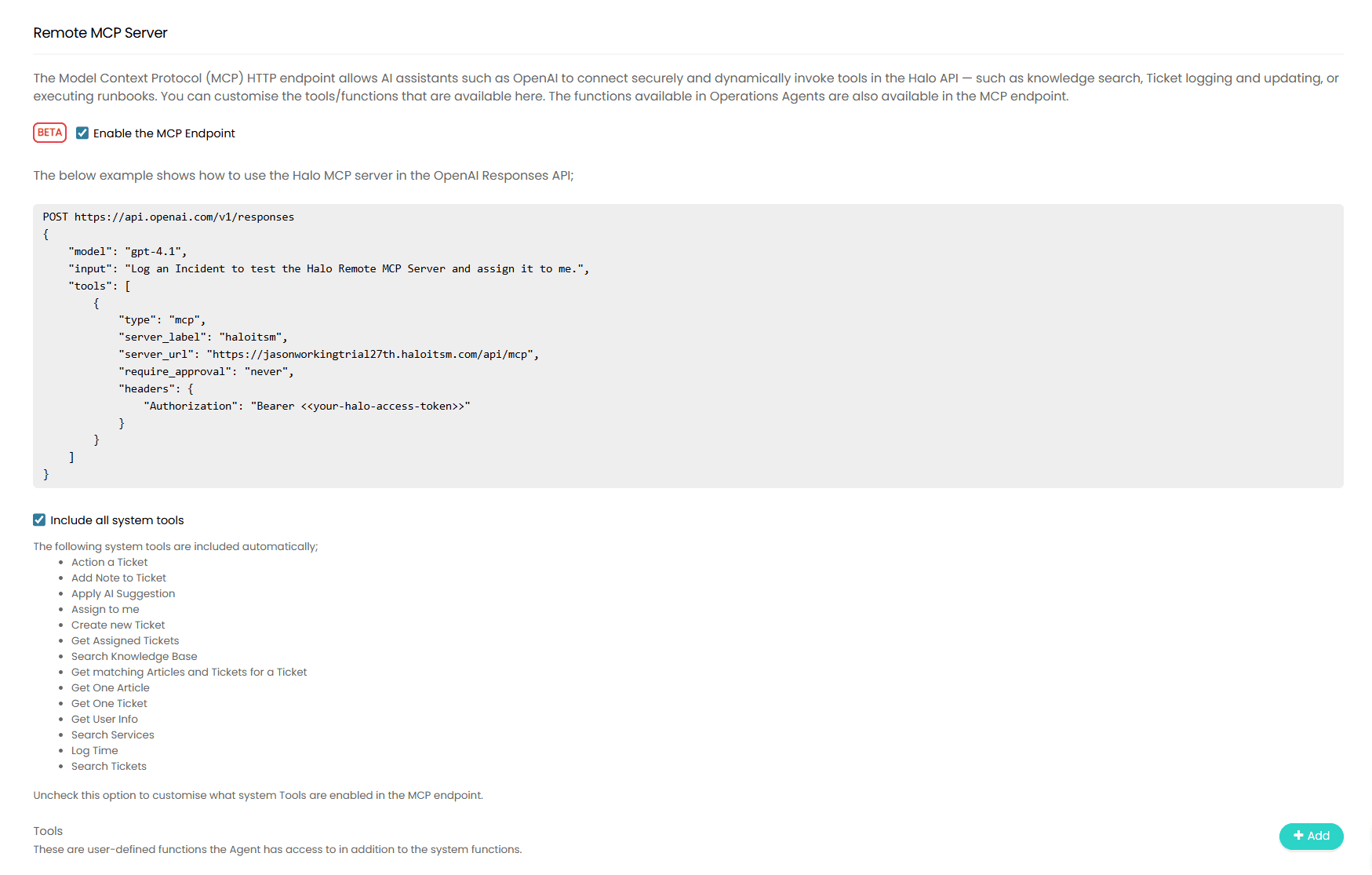
By enabling the MCP endpoint, customers can now allow AI assistants to look at the available tools (both system and custom) within Halo based on the input defined by the customer and subsequently use the corresponding tools to interact directly with Halo’s API in a logical order.
As part of this enhancement, a new option has also been added to execute a runbook as a use of a custom tool for the AI assistant, expanding on the existing system tools to allow MCP server to interact with Halo on a wider scope.
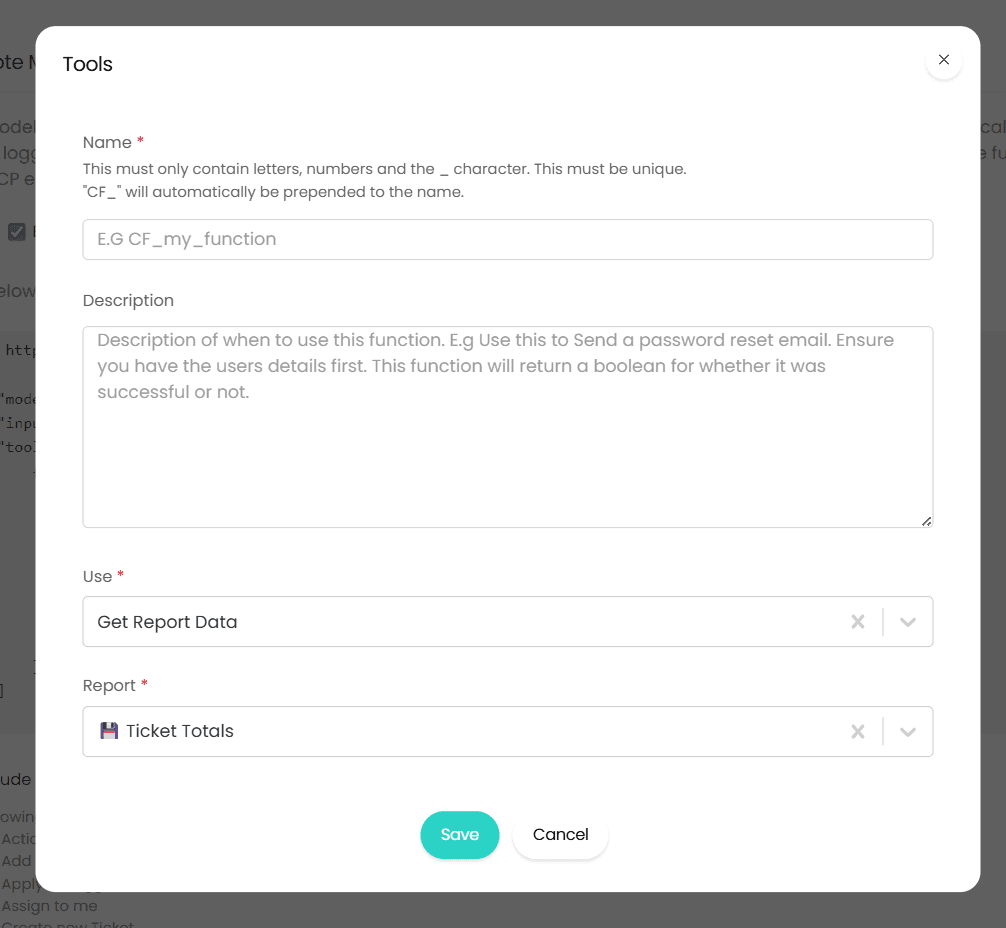
Additionally, another option “Get Report Data” has also been introduced as a use when configuring a custom tool for the AI assistant. This allows Virtual Agents and MCP connections to retrieve live report datasets to answer data-driven queries directly from Halo’s reporting suite.
Changelog